
As we continue to rely more and more on our smartphones, it can be extremely distressing to have one go missing. Luckily, there are a variety of tools available to help track down a lost device, including Google's "Find My Phone" feature. In this post, we'll take a closer look at this feature and explore how it can help you find your lost phone.
What is Google's "Find My Phone" feature?
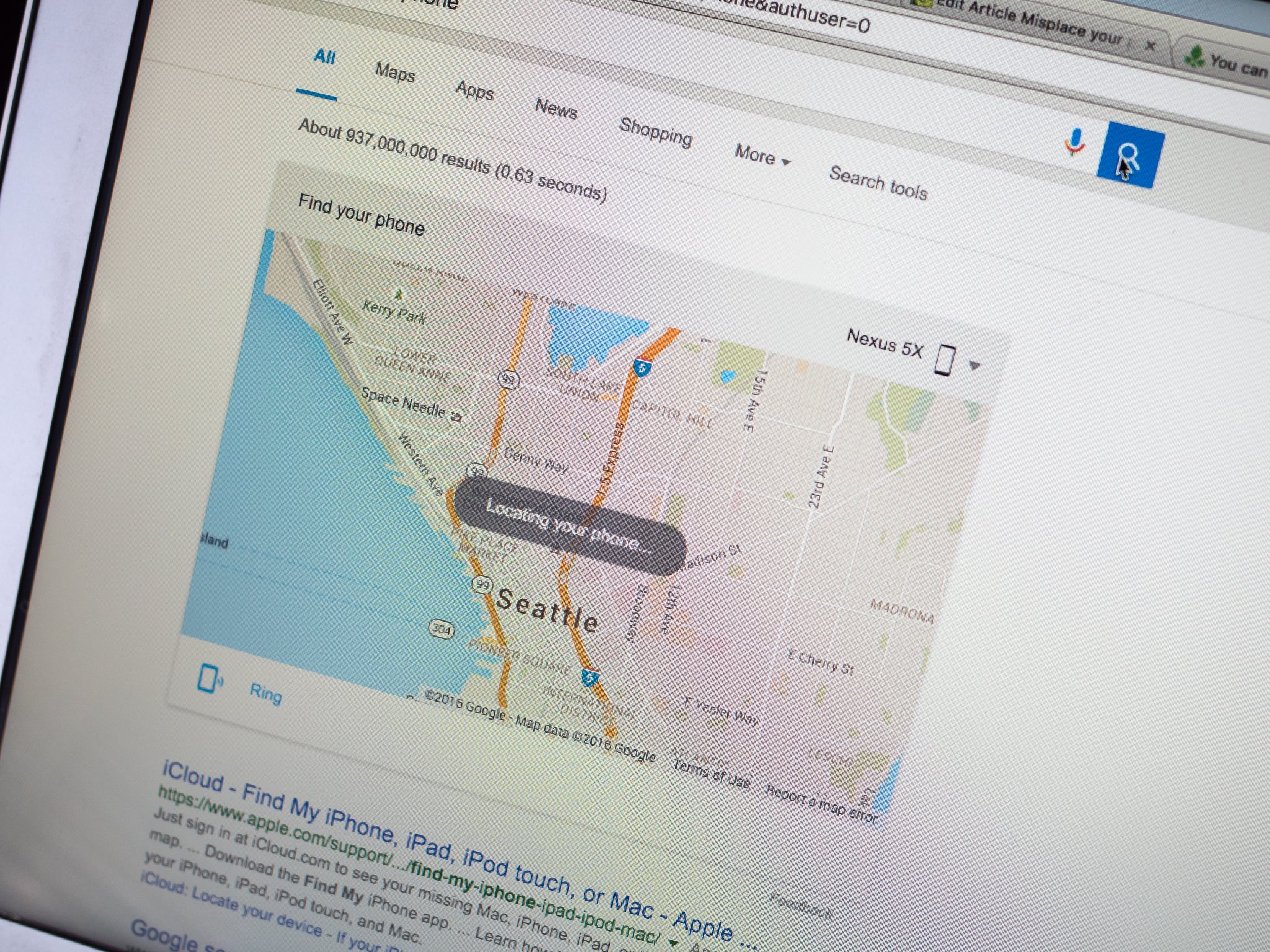
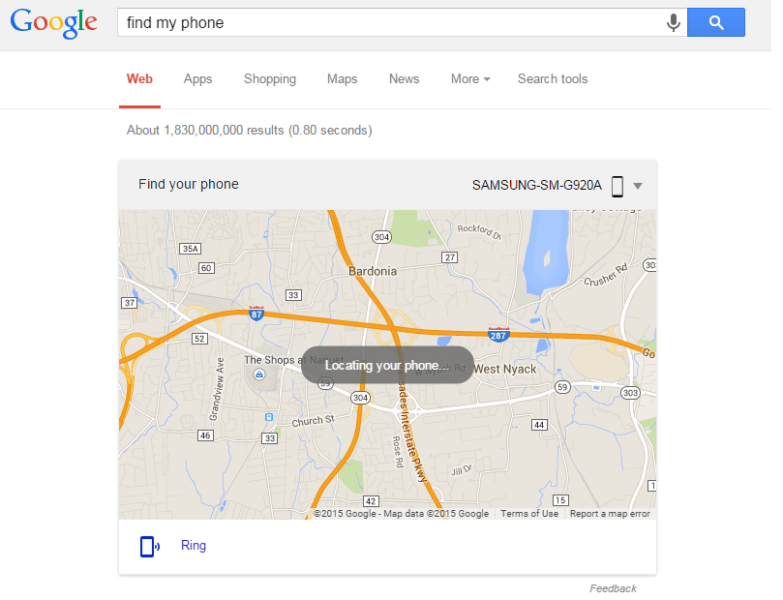
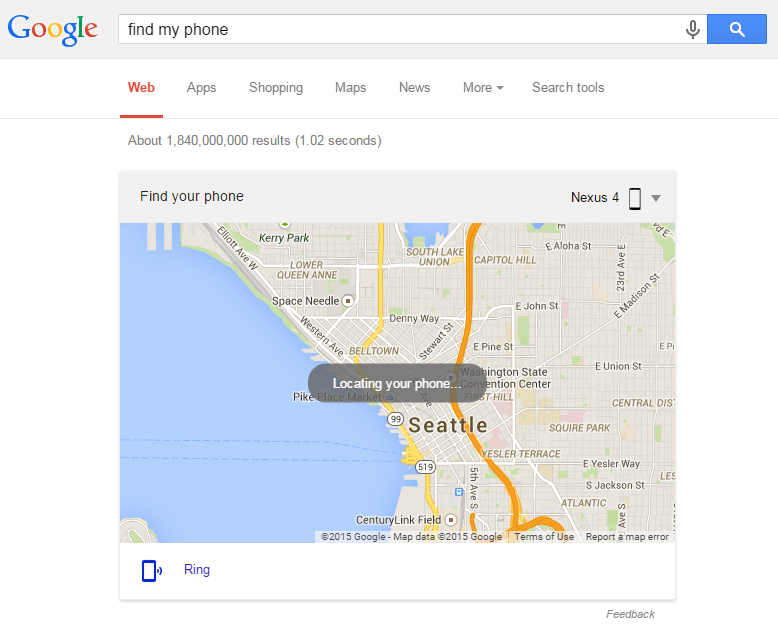
As the name suggests, Google's "Find My Phone" feature is a tool that allows you to locate a lost or stolen smartphone. The feature is built into Google's search engine, so you don't need to download any additional apps or programs to use it. Simply type "Find my phone" into the search box and hit enter.
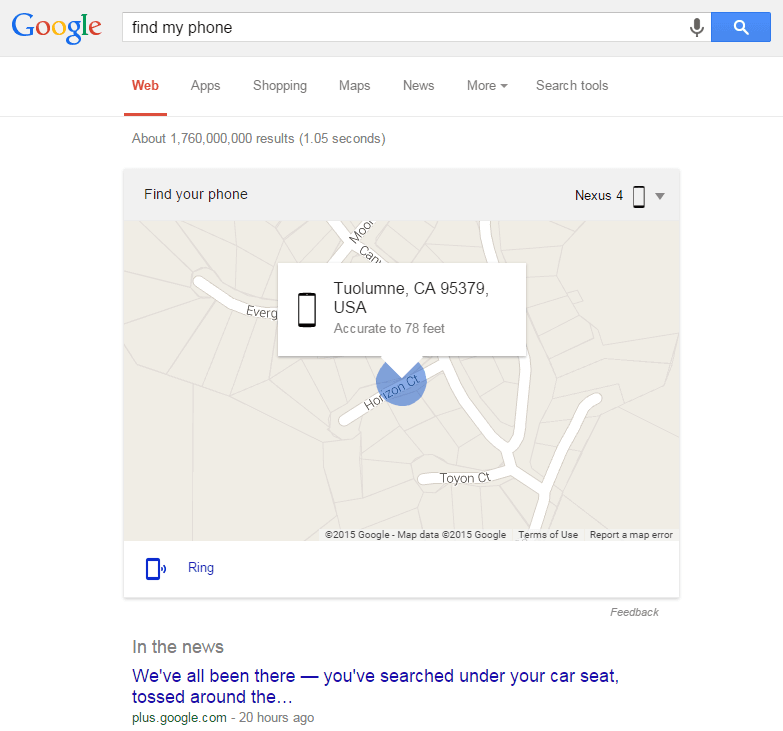
When you use the "Find My Phone" feature, Google will attempt to locate your device using its location services. If your phone is currently turned on and has a connection to the internet, Google will be able to give you an approximate location for your device. This can be helpful if you think you've misplaced your phone somewhere in your home or office, or if you left it behind at a store or restaurant.
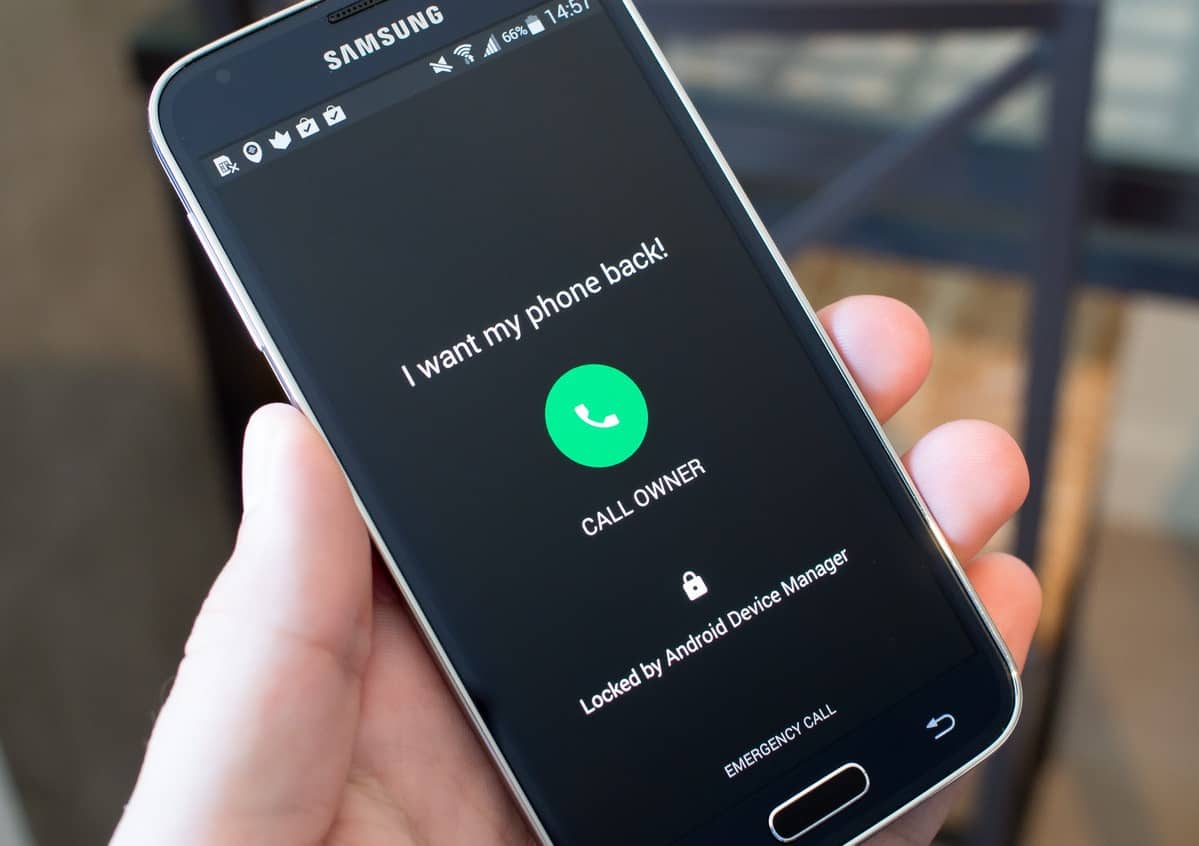
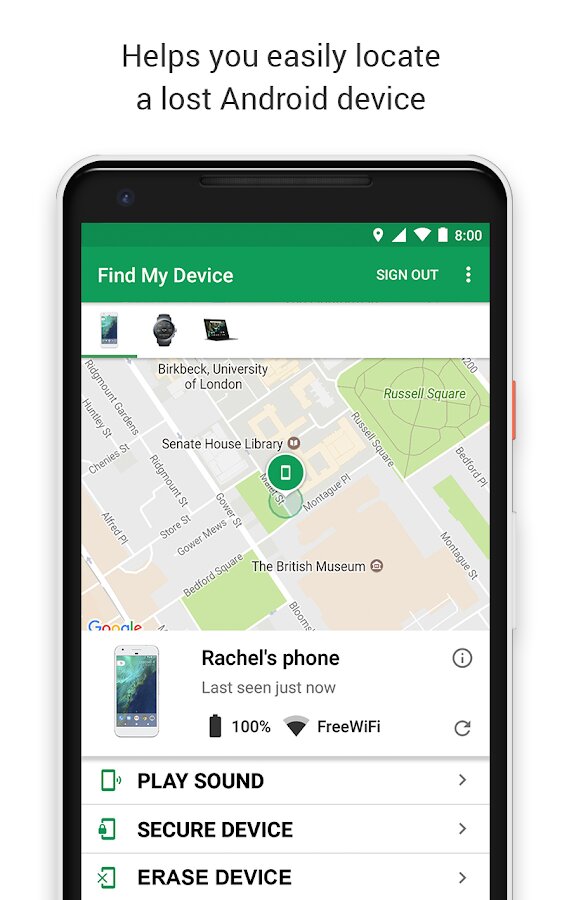
In addition to showing you the location of your device, the "Find My Phone" feature also allows you to do things like ring your phone, lock your phone, or even erase all data from your phone if you believe it has been stolen. These features can be incredibly helpful if you're trying to locate a lost or stolen phone, or if you're concerned about the security of your device.
How to use Google's "Find My Phone" feature
Using Google's "Find My Phone" feature is incredibly easy. Simply follow these steps:
- Open your web browser and navigate to the Google search engine.
- Type "Find my phone" into the search box and hit enter.
- If you're not already signed into your Google account, you'll be prompted to do so.
- Once you're signed in, Google will attempt to locate your device using its location services.
- If your phone is located, Google will display its approximate location on a map.
- You can then choose to ring, lock, or erase your phone through the "Find My Phone" interface.
Additional tips for finding a lost phone
While Google's "Find My Phone" feature is a powerful tool for locating lost or stolen devices, there are a few additional tips and tricks you can use to increase your chances of finding your phone. Consider trying the following:
- Install a dedicated tracking app: While Google's "Find My Phone" feature is useful, there are a variety of dedicated tracking apps available that can provide even more information about your lost device. Consider downloading an app like Prey or Find My iPhone to increase your chances of locating your phone.
- Ask a friend for help: If you think you might have left your phone at a friend's house or at a store, consider asking a friend to help you look for it. Sometimes, a fresh set of eyes is all you need to locate a lost device.
- Check apps that use location services: If you have any apps on your phone that use location services, these can be helpful in pinpointing the location of your lost device. Check apps like Foursquare, Yelp, or Facebook to see if your phone's location is being listed anywhere.
- Use your phone's camera: If you're trying to locate a lost phone in a crowded area, consider using your phone's camera to scan the room. You might be able to see your phone's screen reflecting off of a nearby surface, or you might be able to spot it by looking for the flash of the camera.
Conclusion
Losing a phone can be a frustrating and stressful experience, but with tools like Google's "Find My Phone" feature, locating a lost device has never been easier. By following the steps outlined in this post, you can quickly and easily locate your lost phone, and take steps to protect your device's security if necessary.
Of course, it's always important to take steps to prevent your phone from going missing in the first place. Consider investing in a high-quality phone case, always keep your device's battery charged, and try to be mindful of where you keep your phone when you're out and about. By being proactive and taking care of your device, you can minimize the chances of ever having to use Google's "Find My Phone" feature in the first place.
If you are searching about Misplace your phone? Simply Google 'find my phone' to locate it you've visit to the right place. We have 15 Pics about Misplace your phone? Simply Google 'find my phone' to locate it like Download Google Find My Device 2.4.033 for Android, Misplace your phone? Simply Google 'find my phone' to locate it and also Google's My Account webpage rolls out Find My iPhone-like features. Here it is:
Misplace Your Phone? Simply Google 'find My Phone' To Locate It
 www.androidcentral.com
 locate androidcentral
How To Locate / Wipe Your Android Or IOS Device With Google Find Your
 updato.com
 phone find google device android call lost message andriod amazing locate make updato samsung security locked manager
GregFalken.com | Internet Strategies, Communications, Education And
 www.gregfalken.com
 phone find originally published
How To Find A Lost Or Stolen Android Phone | Phandroid
 phandroid.com
 find device phone android lost manager stolen droid app phandroid became just interface
Google "Find My Phone" To Locate Your Android Device
 searchengineland.com
 phone google find android locate device locating search track cheah andres
Quick Tip: You Can Now Type "Find My Phone" Into Google To Locate It
 phandroid.com
 phone find google android locate tip quick type phandroid into search quentyn kennemer 16th apr
Google's My Account Webpage Rolls Out Find My IPhone-like Features
 www.idownloadblog.com
 google find iphone phone account screenshot feature rolls webpage features announced called apple something
Google's - Find My Phone - Security Feature Overview And Review - YouTube
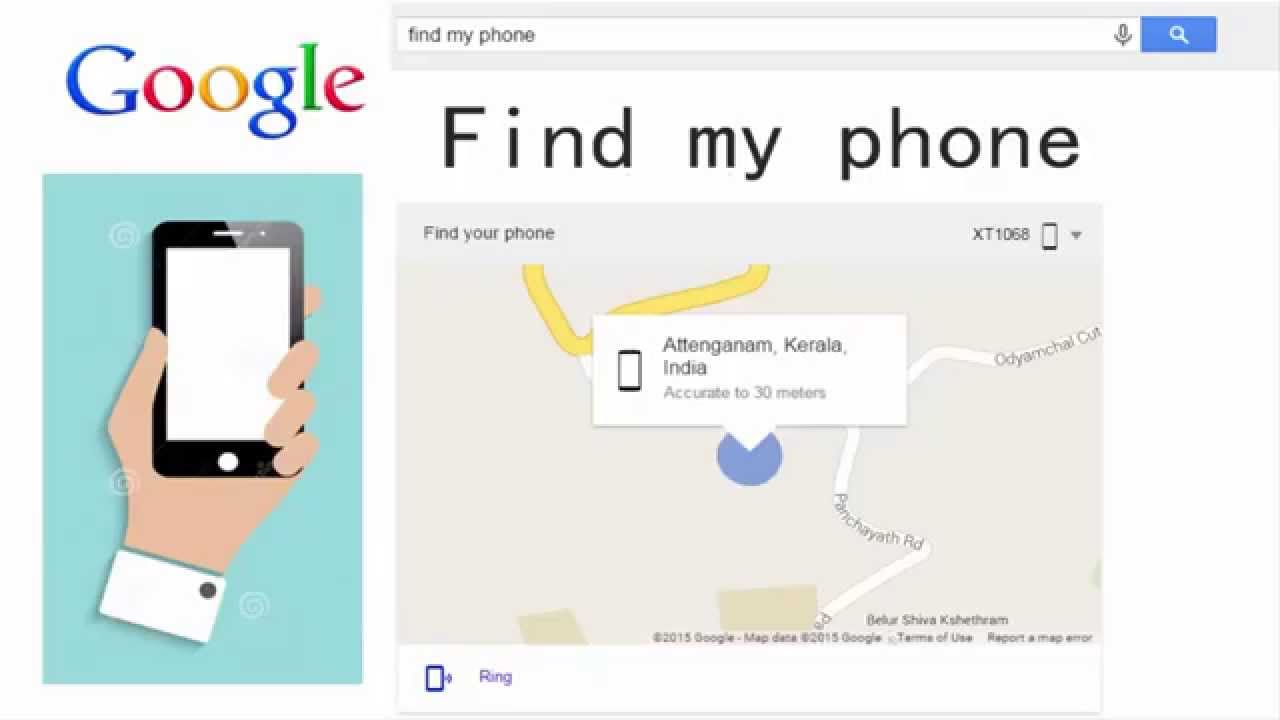 www.youtube.com
 phone find google security android feature review overview smartphones use
Google Lança Find My Phone
 www.maistecnologia.com
 How To Find My Phone Google – BestusefulTips
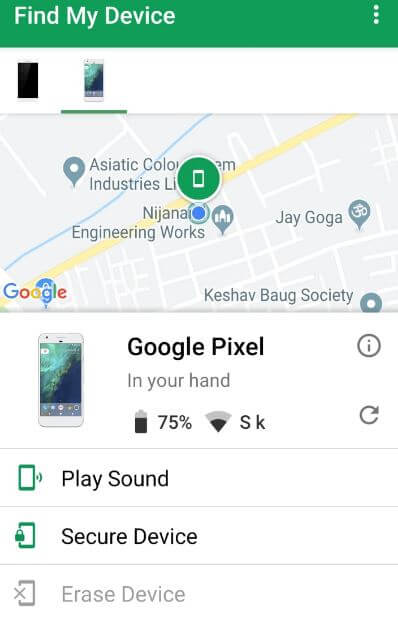 www.bestusefultips.com
 phone google find android bestusefultips location step enabled select if live
With Google Find My Device Look Around For Your Gadgets Rapidly
 www.mobileappdaily.com
 locate dispositivo imei geräte rapidement recherchez durchsuchen appareils
Google Find My Device : Sa Nouvelle Version Va Vous Aider à Bloquer
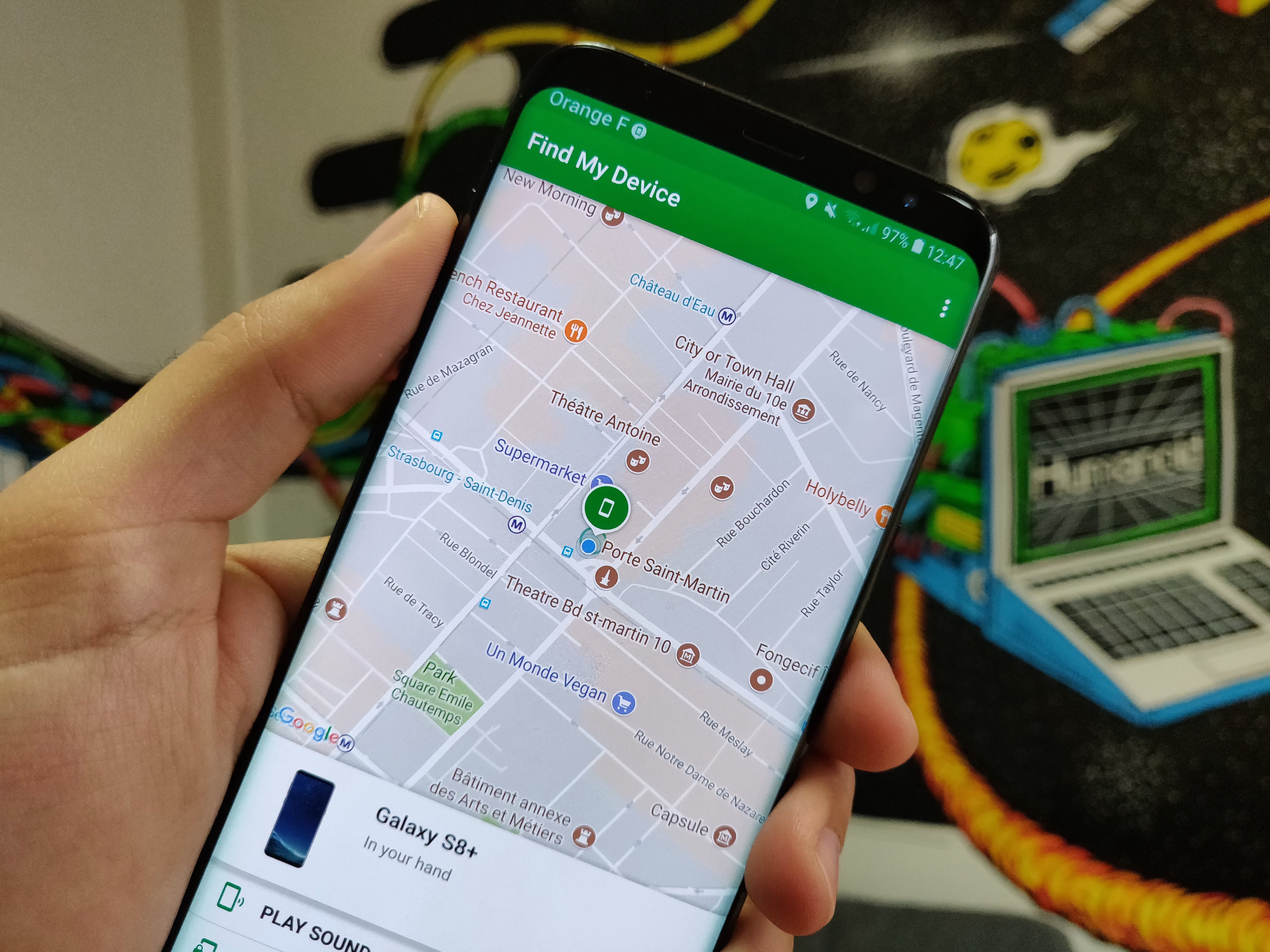 www.frandroid.com
 Google "Find My Phone" To Locate Your Android Device
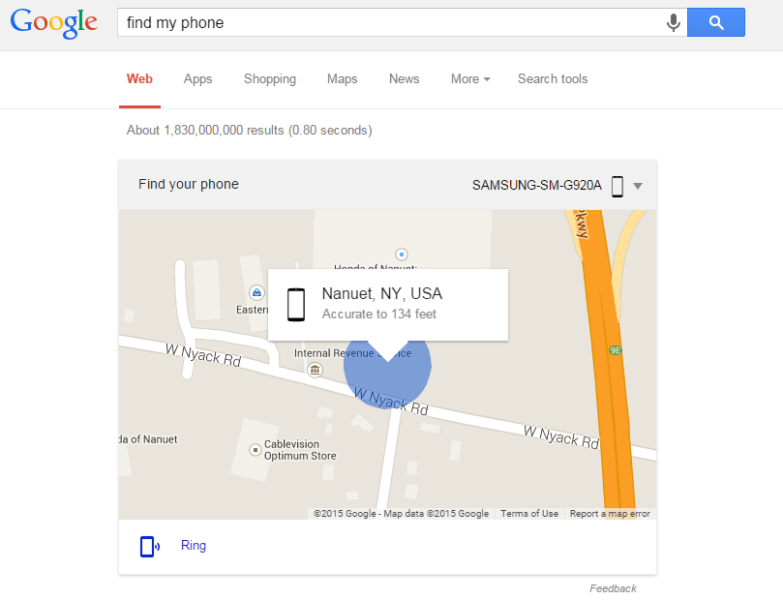 searchengineland.com
 google phone find android locate device tricks search tech announced said located
Misplace Your Phone? Simply Google 'find My Phone' To Locate It
 www.androidcentral.com
 phone find google android locate device search simply quickly misplaced misplace right androidcentral vpn nordvpn providers expressvpn learn aivanet
Download Google Find My Device 2.4.033 For Android
 droidbang.com
 perangkat handphone melacak cara hilang adm locate play akurat seseorang trik trova dispositivo
Gregfalken.com. How to locate / wipe your android or ios device with google find your. How to find my phone google – bestusefultips


Post a Comment
0 Comments